Garmin Watch Sync
Status: Current implemented behavior. Experimental — developed and verified against a vívoactive 5. Audience: Users and contributors. Implementation:
lib/data/source/sensors/garmin/,lib/features/settings/presentation/watch_device_screen.dart+watch_data_screen.dart+watch_settings_screen.dart,lib/features/settings/application/garmin_sync_view_model.dart+watch_settings_view_model.dart,lib/domain/usecase/onboard_garmin_watch_use_case.dart,lib/features/imports/fit/fit_wellness_import.dart,packages/bluetooth_sync_native/. Navigation:/settings/watches,/watch/:watchDeviceId,/watch/:watchDeviceId/data,/watch/:watchDeviceId/settings/:watchScreenId. Related: Feature map, Bluetooth LE sensors, FIT files import, Permissions.
OpenVitals copies what a Garmin watch recorded directly off the watch, over Bluetooth.
There is no Garmin account, no Garmin Connect app, and no server in between. The watch is read using Garmin’s own Bluetooth protocol, and the same files it would otherwise hand to Garmin’s app are parsed on the phone. OpenVitals has no internet permission, so the data has nowhere else to go.
Alarms and the watch’s other settings can also be read and changed from the phone.
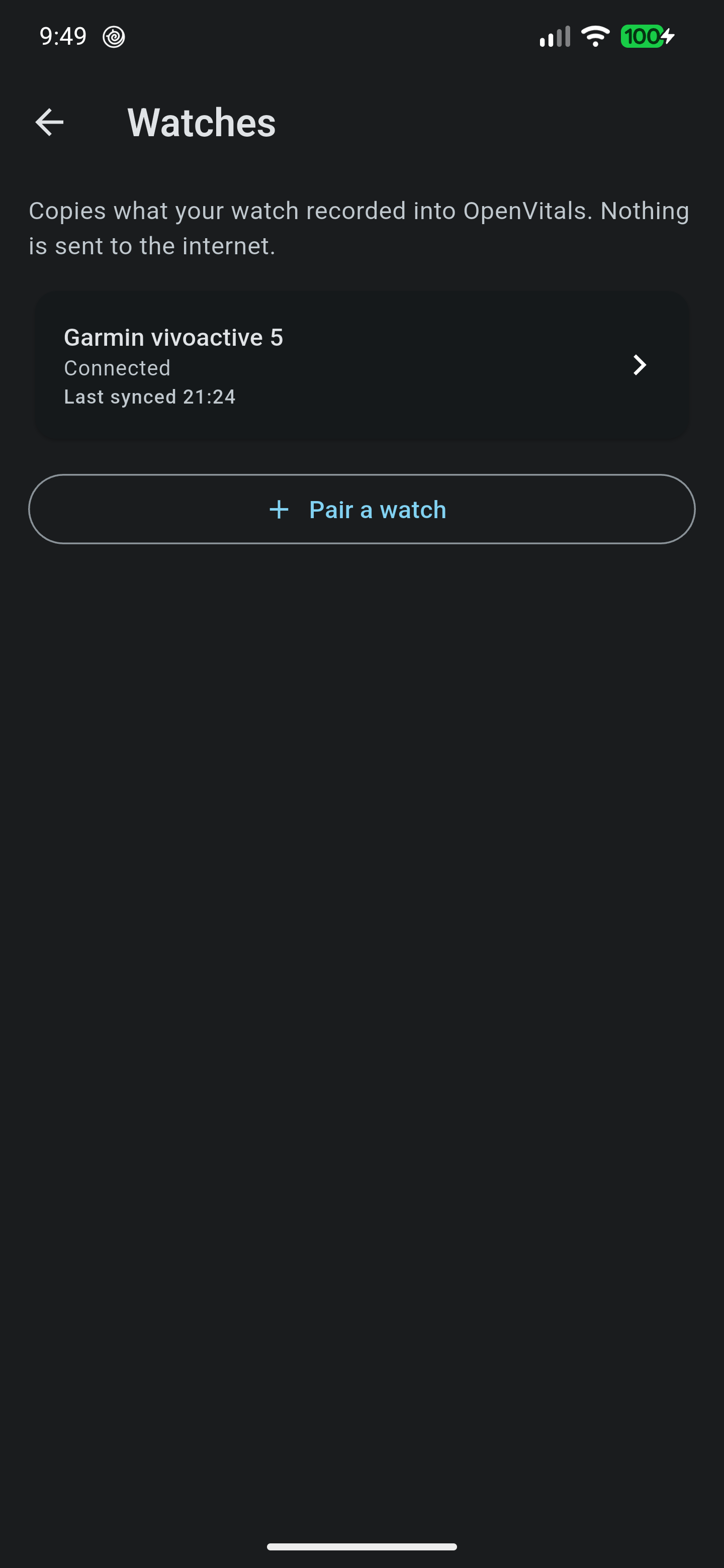
Pairing A Watch
Settings › Watches › Pair a watch scans for nearby watches. Android then shows its own pairing dialog, followed by a companion-device dialog asking to let OpenVitals access the watch.
Declining the companion dialog is supported. The watch still pairs and still syncs; what the association adds is a priority boost from Android while the watch is nearby, which makes a long sync less likely to be interrupted.
Watches using Garmin’s older single-link Bluetooth transport are not supported. OpenVitals detects the transport while pairing and says so rather than pairing something it cannot read.
Syncing
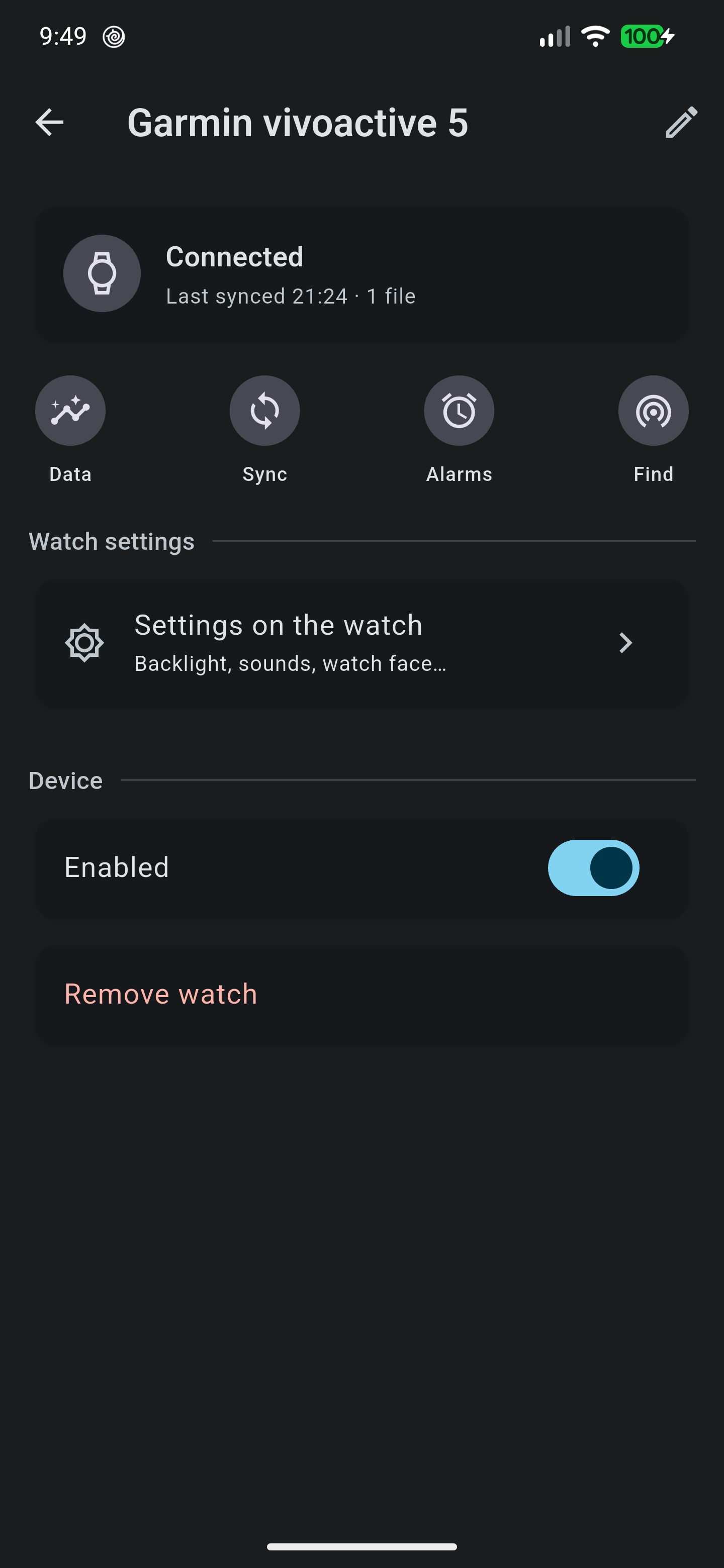
Sync is on demand, from the watch’s device view or from its tile on the summary screen. There is no background sync — every sync is one the user asked for.
The watch hands over the files recorded since last time, and OpenVitals imports them through the same path used for a hand-picked folder of FIT files, so imports are batched, tolerate a single unreadable file, and respect Health Connect’s write quota.
Nothing is removed from the watch until the phone has stored a copy.
What Comes Across
Into Health Connect: sleep sessions and stages, heart rate, resting heart rate, heart rate variability, VO2 max, oxygen saturation, respiratory rate, steps, distance, active calories, and basal metabolic rate. Recorded activities import as workouts with their routes.
Garmin also records measures Health Connect has no record type for. These are kept in the app’s own storage and shown on the watch’s Data screen:
- Stress and Body Battery.
- Moderate and vigorous intensity minutes.
- Recovery time, training readiness, and acute and chronic training load.
- The watch’s own verdict on a night: sleep score, awakenings, time awake, sleep pressure, and sleep need.
- Health Snapshot samples, when a snapshot has been recorded on the watch.
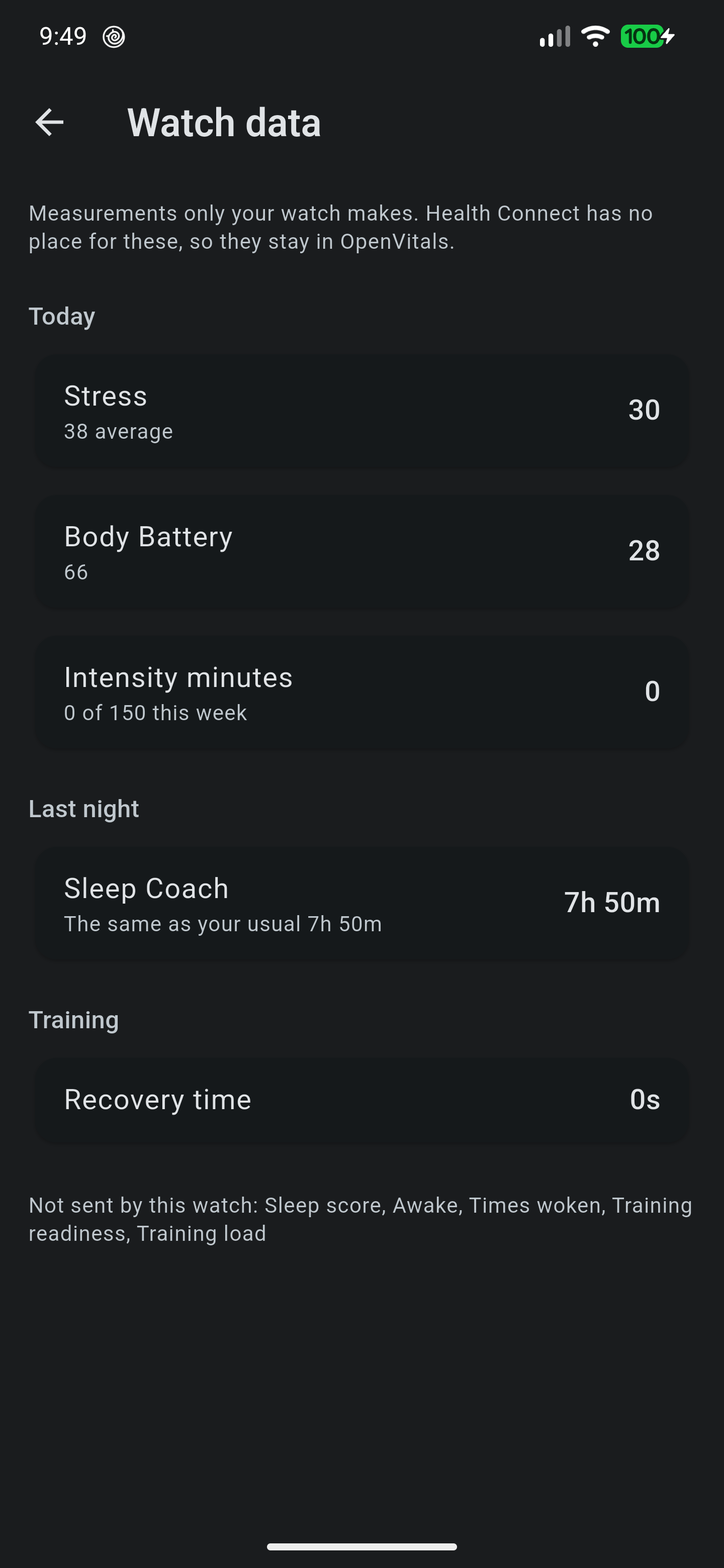
Body Battery from the watch also informs the app’s own Body Energy calibration.
Repeat Syncs
Syncing the same day twice does not double anything. Files a previous sync already imported are skipped, Health Connect records carry stable client record IDs so a repeat updates in place, and watch-only measures are keyed on the measure and its instant.
A file is marked as synced only after its import succeeded, so a run interrupted partway re-fetches rather than skipping data that never landed.
Alarms And On-Watch Settings
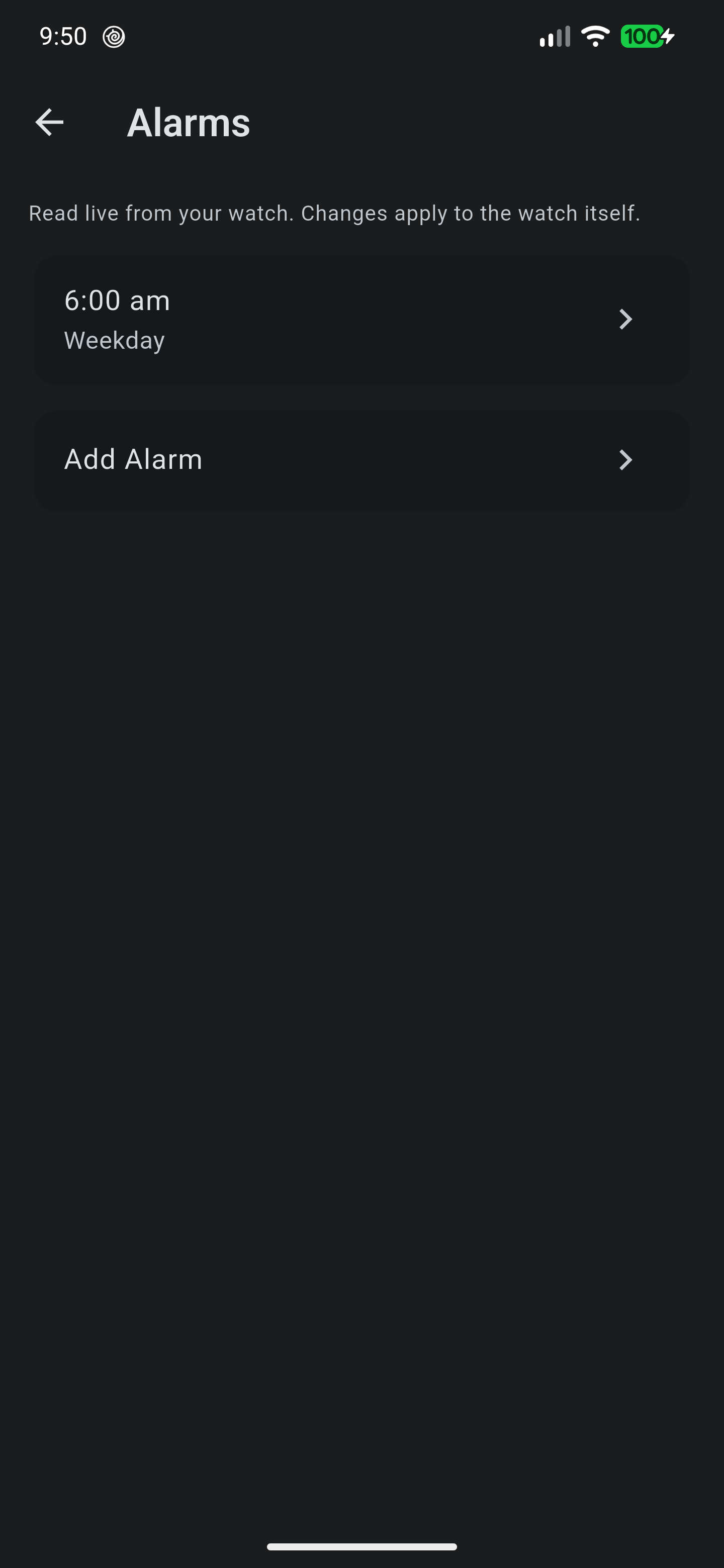
Alarms can be switched on and off, retimed, relabelled, added, and deleted, and every change applies to the watch itself. The watch’s own settings menus — clocks, notifications, sensors, music, system — can also be browsed and changed.
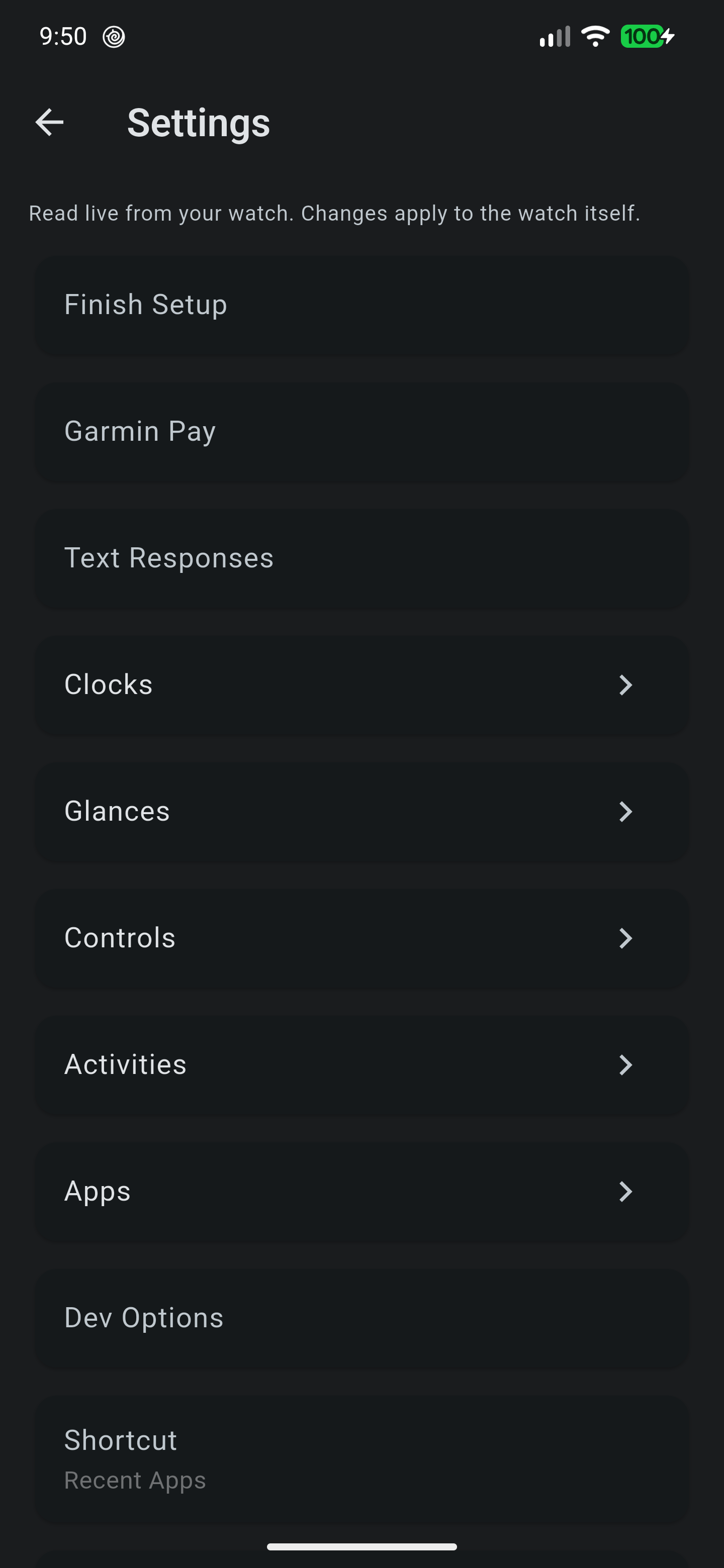
None of these menus are defined by OpenVitals. The watch sends its own menu, already translated into the language the watch is set to, and the app renders what arrives. A screen OpenVitals has never seen still works, and nothing needs updating when the watch’s firmware changes.
Rows the phone cannot act on are shown greyed rather than hidden. A setting that opens something on the watch is still worth seeing; hiding it would suggest the watch does not have it.
Supported Watches
Developed and verified against a vívoactive 5. The protocol is not model-specific and OpenVitals asks each watch what it supports rather than assuming, so the available actions follow the watch’s own capability list. Other recent Garmin models are expected to work, and file types OpenVitals does not understand are skipped rather than failed.
Privacy
Nothing leaves the phone. The watch is read over Bluetooth, files are parsed on device, and results go to Health Connect or the app’s own database. Neither the watch’s Bluetooth address nor what it recorded is written to Android’s system log in a release build.
Known Limitations
- Sleep stage durations derived from watch files disagree with the watch’s own figure for time awake, and are not yet reliable. The watch’s own figure is stored separately and shown on the Data screen.
- Number settings are read-only, because the watch sends a value but not its allowed range.
- Health Snapshot data exists only if a snapshot has been recorded on the watch.
- Deleting an alarm uses an encoding verified on a vívoactive 5. A watch that disagrees refuses the change, and OpenVitals reports the refusal rather than claiming success.
- There is no background sync.